The Role of Conference Room AV in Modern Meeting Spaces
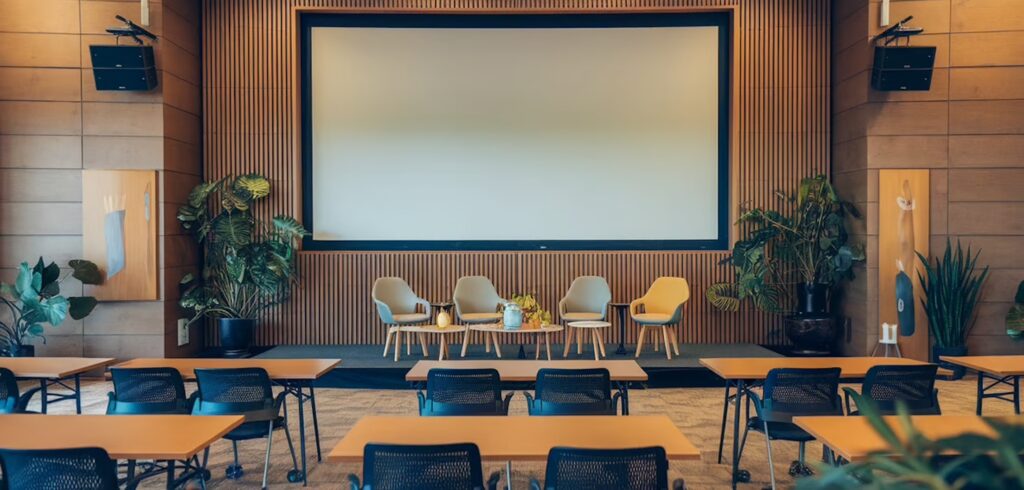
Conference room AV systems are now essential in modern meeting spaces, making communication seamless and boosting productivity. With the right technology integration, teams can hold more efficient meetings, collaborate better, and achieve greater success. Throughout this guide, we’ll explore the best setups and solutions for getting the most from your conference space.
Assessing Your Needs and Setting Objectives
Before selecting a conference room AV system, it’s important to assess the specific needs and objectives of your space. Consider how the room will be used, the expected number of attendees, and any special requirements that might arise.
Start by asking these questions:
– Will the room mainly be used for video conferences, presentations, or both?
– How many people will typically use the space at once?
– What types of devices (laptops, tablets, smartphones) will connect to the system?
– Are there accessibility requirements that need addressing?
Clearly defining these objectives will guide you in selecting appropriate equipment and technology.
Choosing the Right Equipment
Once you’ve outlined your needs and objectives, it’s time to select the necessary equipment.
Displays and Projectors
Select displays or projectors based on your room’s size and purpose. Smaller rooms may work well with a high-resolution flat screen, while larger spaces might benefit from a projector and screen setup to ensure everyone can see clearly. Choose displays with HDMI inputs and various connectivity options for flexibility.
Audio Systems
An effective audio system is vital for clear communication. Look for systems featuring:
– High-quality microphones and speakers for clear sound
– Wireless options to reduce cable clutter
– Integration capabilities with video conferencing platforms
Video Conferencing Equipment
For smooth video conferences, invest in:
– High-definition cameras with wide-angle lenses
– Systems that work well with software like Zoom or Microsoft Teams
– Wireless screen-sharing options for easier presentations
Control Systems
Consider control systems that allow for easy operation of all AV components. A centralized control unit or app can simplify the process significantly, allowing users to adjust settings without frustration.
Finding the Right Conference Room AV Solutions
Selecting appropriate conference room AV solutions involves evaluating several key criteria to ensure the setup meets your space’s specific needs. Consider room size, intended function, and user requirements. A large auditorium needs different AV equipment than a small meeting room. Identify who will use the equipment and their specific needs, such as video conferencing, presentations, or interactive sessions.
Here are some strategies to guide your selection:
– Assess Room Dimensions and Layout: Understanding the physical space helps determine necessary audio-visual components, such as speaker systems for sound coverage and displays that can be viewed from all angles.
– Determine Usage Requirements: Identify whether the room will primarily host video calls, presentations, or multiple functions. This will guide your selection of cameras, microphones, and displays.
– Consider User Experience: Ease of use is crucial. Choose AV systems with intuitive interfaces to minimize learning curves and facilitate smooth operation for all users.
Customizing Your AV Setup with DL-AR Tools
DL-AR tools offer a practical approach to customizing an AV setup for your room’s specific requirements. These tools allow for easy integration and adjustment of AV components, ensuring they fit well into your existing infrastructure.
Steps to customize your AV setup:
1. Evaluate Existing Infrastructure: Understand your current AV equipment and compatibility. DL-AR tools help assess connections, ensuring new components work with existing systems.
2. Set Configuration Levels: Use DL-AR tools to configure your AV system, optimizing sound, video, and connectivity for various functions and room sizes.
3. Test and Adjust: After setup, conduct thorough tests to ensure all components work well together. Make necessary adjustments to fine-tune the system for real-world use.
Installation and Configuration
With your equipment selected, proper installation and configuration are crucial for smooth operation. Consider hiring professionals or consulting with AV integrators who can:
– Properly install and test all components
– Optimize acoustics and screen positioning for the best experience
– Provide training for users to maximize the system’s capabilities
Benefits of Upgrading Your Conference Room AV
Picture this: a conference room where sound is crisp, visuals are clear, and everyone feels engaged. Upgrading your conference room AV helps make this vision real. Here are key advantages you’ll experience:
– Improved Audio/Visual Quality: Modern AV systems deliver superior sound and picture quality, minimizing distractions from muffled audio or blurry visuals. This ensures all participants can focus on the content being shared.
– Enhanced Productivity: With clear communication, meeting goals can be achieved more efficiently. Better AV equipment reduces technical difficulties, allowing meetings to start on time and run smoothly.
– Effective Collaboration: Modern AV technology supports seamless integration with various collaborative tools. Whether sharing screens, managing remote access, or using advanced conferencing features, upgraded systems make interactions smoother and meetings more dynamic.
– Informed Decision-Making: Better audio and visual capabilities mean more accessible information sharing. Participants can easily understand data, discuss options, and make decisions with greater confidence and clarity.
These benefits collectively enhance the meeting experience and create a more productive environment within your conference rooms.
Top AV Equipment Categories for Conference Rooms
When planning your conference room AV setup, it’s essential to understand the different equipment categories that can enhance functionality and user experience.
Table Boxes and Floor Boxes Explained
Table boxes and floor boxes play a vital role in AV setups. These components streamline cable management by neatly organizing connections for power, data, and audio-visual inputs. Table boxes integrate into furniture like conference tables, giving users easy access to plug in laptops, phones, and other devices. Floor boxes install in the flooring for a clean appearance. Both options create a clutter-free environment, reducing tripping hazards and improving your conference room’s look.
Why Auto Switchers are Essential
Auto switchers are indispensable in modern conference rooms. These devices allow automatic transitions between various media sources, such as laptops, tablets, and video conferencing equipment. They detect active input signals and switch to the source being used, providing a smooth experience. For example, when one person finishes a presentation and another connects to share theirs, the auto switcher handles this change without manual intervention. This functionality is crucial where efficiency and professionalism matter.
Choosing the Best Brands for AV Solutions
When selecting AV brands for conference room solutions, reputation should be a key factor. The reliability of your equipment directly impacts your meetings’ efficiency. Respected AV brands offer longevity and integrate well with existing systems. Look beyond just cost—consider how established companies perform in the industry and their customer satisfaction records.
Brands like Bose, Crestron, and Logitech consistently earn recognition for high-quality products. They produce AV solutions that balance cost-effectiveness with reliability, ensuring your conference room runs without technical issues.
Exploring the Most Popular Conference Room AV Products
Among popular conference room AV products, you’ll find components like speakers, projectors, and control systems that significantly enhance meeting capabilities.
Projectors from Epson, for instance, deliver vivid image quality that makes presentations clear and impactful. Similarly, Poly offers speakerphone systems with exceptional audio clarity suitable for any conference room size.
Choosing products from reputable AV brands guarantees quality and professional meetings. Reliable AV solutions minimize downtime and distractions, allowing for more focused discussions and presentations.
Cost Considerations for Conference Room AV Setup
When planning a conference room AV system, several cost factors should guide your budgeting decisions and help prevent unexpected expenses.
Equipment Costs:
Quality equipment often costs more upfront but can deliver long-term savings. Essential components include displays, projectors, screens, speakers, microphones, cameras, and control systems. While lower-cost alternatives might seem appealing, carefully consider potential compromises in performance and longevity.
Installation Expenses:
Installation costs vary depending on system complexity and customization requirements. Professional installation ensures all components work together smoothly, minimizing problems and maximizing functionality. Allocate budget for experienced technicians who specialize in conference room AV setups to avoid costly mistakes and downtime.
Maintenance and Support:
Ongoing maintenance and technical support keep your AV system performing well. Regular maintenance contracts can prevent unexpected failures, while access to support services ensures quick problem resolution. Including these costs in your initial budget planning prevents disruptions and preserves meeting efficiency.
Balancing these factors allows for thoughtful evaluation of costs and benefits, ensuring your conference room AV setup meets organizational needs while staying within budget.
How to Ensure Seamless Collaboration in Conference Spaces
Designing an environment that promotes effective collaboration requires thoughtful planning for AV solutions and space layout. Consider these essential tips:
– Prioritize Layout: Arrange seating to facilitate direct eye contact and interaction. Use circular or semi-circular arrangements to promote inclusivity.
– Integrated Technology: Select collaborative AV technologies that work well together. Compatibility between video conferencing equipment, display screens, and audio systems reduces technical problems and maintains meeting flow.
– Focus on Acoustics: Ensure proper soundproofing and use quality microphones and speakers. This enhances clarity during discussions, preventing misunderstandings.
– Interactive Displays: Equip rooms with interactive displays to encourage engagement. Touchscreens can transform static presentations into dynamic exchanges of ideas.
– Lighting Matters: Use adjustable lighting to create a comfortable atmosphere. Avoid screen glare and ensure sufficient ambient lighting.
– Adaptive Spaces: Choose modular furniture that can be quickly rearranged for different meeting types, from collaborative workshops to traditional presentations.
– User-friendly Interfaces: Ensure control systems are intuitive. Simple control panels or apps minimize setup time and troubleshooting.
Key Takeaways:
– Design spaces with layouts that enhance face-to-face interaction
– Ensure technology integration for smooth communication
– Prioritize clear audio and interactive visual elements
– Maintain flexibility with adaptable furniture and appropriate lighting
Implementing these strategies creates conference spaces that support productive collaboration and efficient communication.
FAQ: Conference Room AV
What are the essential components of a conference room AV system?
A complete conference room AV system typically includes:
– Displays: Large screens or projectors for visuals
– Audio System: Microphones, speakers, and amplifiers for clear sound
– Video Conferencing Equipment: Cameras and software for remote meetings
– Control Panel: A central system to operate all AV equipment efficiently
How can conference room AV systems improve meetings?
Conference room AV systems enhance meetings by enabling clear audio and visual communication. They help deliver presentations effectively and facilitate remote conferencing, improving collaboration and productivity.
Can I integrate my conference room AV with existing software platforms?
Yes, most conference room AV systems integrate with popular platforms like Microsoft Teams, Zoom, and Google Meet. This integration allows for smooth scheduling, connectivity, and collaboration during meetings.
What maintenance do conference room AV systems require?
Regular maintenance includes:
– Cleaning equipment like screens and microphones to ensure performance
– Software updates for integrated systems to maintain compatibility and security
– Routine checks for connections and cables to avoid disruptions
How do I choose the right conference room AV setup for my space?
Consider these factors when selecting a setup:
– Room Size: Larger rooms need more powerful audio and visual equipment
– Usage Needs: Base decisions on regular activities, such as presentations or video conferencing
– Budget: Balance between high-end solutions and essential functions
Consult with professional AV service providers who can assess your specific needs and recommend suitable solutions.
Conclusion
Selecting the right conference room AV setup is a significant step in creating an effective meeting environment in your apartment or MDU. We’ve covered critical components, including audio and video equipment choices, display options, and smart technology integration. It’s important to tailor these elements to your specific needs to enhance your conference room’s functionality.
Making informed decisions based on your requirements ensures an AV setup that supports your management style and facilitates better communication. Whether upgrading an existing facility or building a new one, the right technology provides the foundation for successful operations.
Consider your options carefully and implement the insights shared here. This will establish a strong foundation for effective meetings that contribute to your property management success.